
Worldwide Live TV Categories
Browse regional, country, language, sports, news, entertainment and other live-TV groups from the current catalogue.
Explore the complete MegaOTT IPTV feature set for worldwide live television, movies and series. Use compatible players across major devices, access HD, Full HD and 4K options where available, load programme-guide data on supported channels, organize content with player search and favourites, test everything with a 24-hour free trial, and use dedicated setup and troubleshooting resources when you need help.
See how MegaOTT IPTV brings together worldwide live television, sports, entertainment, movies and series through compatible IPTV players and supported streaming devices. These visual examples represent the types of channel and on-demand categories available through the service. Individual networks, feeds, titles and picture-quality options can change, so use the current channel catalogue and 24-hour trial to confirm the content that matters most to you.































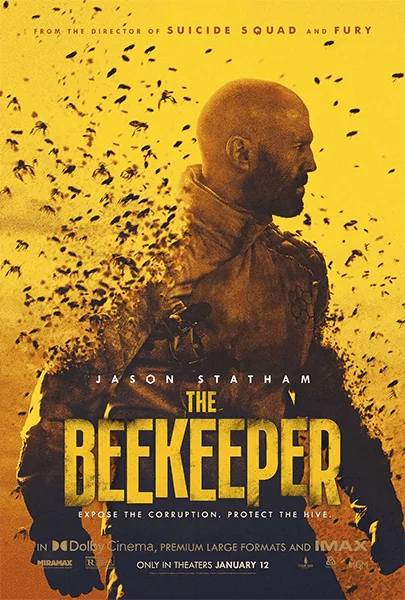












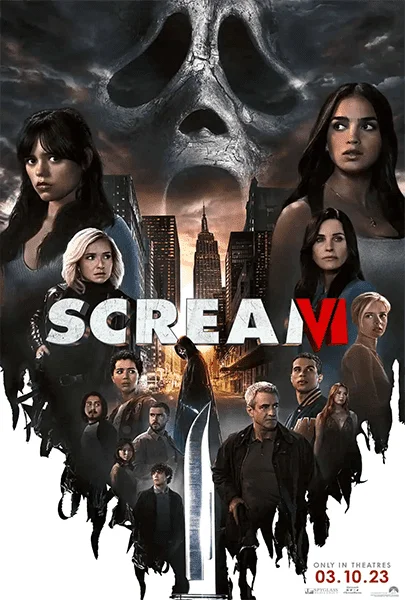






MegaOTT is designed to work through compatible IPTV players instead of forcing every device into one interface. The service supplies the supported account access, while your selected player handles navigation, search, favourites, EPG display, playback controls and other interface features.
Features such as catch-up, parental controls, favourites, subtitles, external-player support and guide layout can vary by player, operating system and source feed. The dedicated MegaOTT app pages explain those differences rather than presenting every feature as universal.
The 24-hour trial is the most useful way to verify picture quality, must-have channel groups, EPG coverage, app usability and network performance on the exact device you intend to use.
A complete feature set focused on content discovery, compatible devices, flexible players and practical testing rather than unsupported performance guarantees.
Browse regional, country, language, sports, news, entertainment and other live-TV groups from the current catalogue.
Access the currently listed 200K+ movie catalogue through compatible players with category browsing and search where supported.
Browse the currently listed 62K+ series catalogue with seasons and episodes where supplied through the connected account.
Picture-quality options vary by channel, title, source feed, player, device, display and network conditions.
View current and upcoming programme information in supported players where EPG data is available for the selected channels.
Replay support can be available on selected channel groups when both the source and the player support catch-up.
Use compatible player search tools to find live channels, movies and series without manually browsing every category.
Save frequently watched channels or content when favourites, history or watchlist tools are provided by the selected player.
Choose MegaOTT TiviMate, MegaOTT IBO, MegaOTT Smarters or another compatible player for your operating system.
Use device-specific setup guidance for television platforms, streaming devices, mobile devices, computers and supported set-top boxes.
Test important channels, player compatibility, EPG behavior and network performance before selecting a longer subscription.
Use installation guides, FAQ resources, WhatsApp and email when you need help with setup or playback troubleshooting.
MegaOTT can provide multiple picture-quality options where available, but a stable viewing experience requires the player, device decoder, display and network to handle the selected stream.
A stable connection around this level can support many HD streams, subject to bitrate and other traffic.
Extra bandwidth helps when other household devices are streaming, gaming or downloading at the same time.
4K additionally requires a compatible source, decoder, HDMI/display path and television or monitor.
Ethernet or strong 5 GHz Wi-Fi can reduce local interference and inconsistent throughput.
Playback stability cannot be guaranteed in every network condition. Use the trial to test your own device and connection.
EPG data helps turn a large channel catalogue into a television-style schedule. In compatible players, programme names and times can appear next to supported channels when guide data is supplied.
Catch-up is different from EPG. It allows replay of earlier programming only on channel groups where the source provides a catch-up window and the selected player can access it.
If guide information is missing or shifted, refresh the playlist and EPG, confirm the device timezone and compare multiple channel groups before changing manual offsets.
MegaOTT separates the service account from the player interface. That gives you flexibility to use a compatible player that fits the operating system, remote-control workflow and content-navigation style you prefer.
The current MegaOTT app hub includes dedicated pages for TiviMate, IBO and Smarters. Each guide explains the intended devices, direct Android APK route where applicable, installation steps, login methods and troubleshooting.
Samsung Tizen, LG webOS and Apple platforms do not install Android APK files directly. Use the general installation guide to choose a compatible platform-specific player.
Use a compatible player for the platform rather than assuming the same app installs on every operating system.
A useful IPTV experience is not only about catalogue size. Search, categories, favourites and EPG tools make large content libraries easier to navigate.
Use country and regional groups to narrow the worldwide live-TV catalogue.
Move directly to language-focused groups when supported in the current catalogue.
Open sports, news, entertainment, kids, documentary, music and other category groups.
Find exact channel or title names when the selected player provides search.
Keep frequently watched content in a smaller list where the player supports favourites.
Reload account, playlist or EPG data when categories or guide information appear outdated.
This distinction helps set accurate expectations and makes troubleshooting faster.
| Feature | Availability | Main dependency |
|---|---|---|
| Live TV catalogue | MegaOTT service feature | Current catalogue and source feeds |
| Movies & series | MegaOTT service feature | Current on-demand catalogue |
| HD / Full HD / 4K | Where available | Source feed, device, player and network |
| EPG | Where available | Guide source and compatible player |
| Catch-up | Selected groups | Channel source and player support |
| Search / favourites | Player dependent | Selected IPTV player |
| Parental controls | Player dependent | Selected player and operating system |
| VPN use | Device/network dependent | VPN app, server, protocol and connection |
| Subtitles / audio tracks | Where source/player support it | Source feed and selected player |
Use the 24-hour trial to verify the exact feature combination you need on your own device and player.
Test practical requirements instead of choosing a plan only from catalogue totals or feature names.
Check the exact regional, sports, news and entertainment categories you care about.
Confirm search, favourites, EPG, remote navigation and playback behavior on your selected app.
Use the television, streaming device, phone, tablet or computer you intend to keep using.
Test during normal household usage and the times you are most likely to watch.
The fastest way to solve a feature problem is to identify which layer is affected. A missing EPG can be different from a login failure, and a buffering problem can be different from a player interface problem.
Use dedicated pages for deeper information instead of overloading one features page with every setup or troubleshooting topic.
Clear answers about picture quality, EPG, catch-up, devices, apps, VPN use, player features, subtitles, audio tracks, the 24-hour trial and support.
MegaOTT combines worldwide live TV categories, movies, series, compatible IPTV player workflows, EPG data where available, catch-up on supported sources, favourites and search through supported players, device setup guidance, a 24-hour trial and customer support.
MegaOTT can provide HD, Full HD and 4K sources where available. Actual quality depends on the selected feed, player, device decoder, display, internet connection and network conditions.
No IPTV service can responsibly guarantee zero buffering in every situation. Playback depends on the source feed, routing, device performance, Wi-Fi or Ethernet quality, available bandwidth and other traffic on the connection.
Electronic programme guide information is available for supported channels and compatible players where EPG data is supplied. Coverage can vary between categories and sources.
Catch-up can be available on selected channel groups when the source and player support it. It is not guaranteed for every channel, so test important catch-up requirements during the 24-hour trial.
MegaOTT setup guidance covers Fire TV, Android TV, Google TV, Samsung Smart TV, LG Smart TV, Android phones and tablets, iPhone, iPad, Apple TV, Windows, macOS, MAG, Formuler and Enigma2 workflows using compatible players.
The current MegaOTT app hub includes MegaOTT IBO, MegaOTT TiviMate and MegaOTT Smarters guides. Android APK installation is intended for compatible Android-based devices, while Samsung, LG and Apple platforms require compatible platform-specific players.
A VPN can be used on many compatible devices and networks, but VPN performance depends on the VPN provider, server location, protocol and connection quality.
These functions depend mainly on the compatible IPTV player being used. TiviMate, IBO, Smarters and other players can provide different combinations of search, favourites, history, EPG and parental-control tools.
Yes. MegaOTT currently offers a 24-hour trial route so users can test their device, player, important channel categories, EPG behavior and normal network connection before choosing a longer plan.
Subtitles and multiple audio tracks can be available when the source feed includes them and the selected IPTV player supports track selection. Availability varies by channel or on-demand title, so test important language and subtitle requirements during the 24-hour trial.
Use the installation guides, app-specific pages, FAQ and troubleshooting resources, or contact MegaOTT through WhatsApp at +44 7532 814802 or email support@megaott.io.
Choose a compatible player, test the channels and content categories that matter to you, verify EPG and picture quality where available, and then compare the current subscription periods.