
Live Television
Explore 28K+ live channels grouped by region and category, including entertainment, sports, news, kids, documentary and music.
Browse channel categoriesExplore one complete MegaOTT IPTV service guide for worldwide live television, movies, series, compatible apps, device setup, discounted USD plans and reseller-panel access. Start with a 24-hour trial and test the service on the equipment and connection you actually use.
A visual sample of supported entertainment categories. Channel and title availability can change by region and over time.



















































Review the most important service details before moving into the full guides below. Use the free trial to confirm anything that is essential to your household or reseller workflow.
| Service area | What MegaOTT provides | What you should check |
|---|---|---|
| 24-hour free trial | Temporary access for testing the supported service before selecting a paid subscription. | Your main device, preferred player, important categories, EPG loading and normal network performance. |
| Live TV | 28K+ live channels organised across sports, entertainment, news, kids, music and worldwide groups. | The current regional, language and category groups that matter to you. |
| Movies | A listed on-demand catalogue containing 200K+ movies. | Search, genre menus, title information and playback through your chosen player. |
| Series | A listed catalogue containing 62K+ series and episodic titles. | Season navigation, episode organisation, subtitles and audio options where supplied. |
| Picture quality | SD, HD, Full HD and 4K options where the relevant source is available. | Device decoding, source quality, player settings and available internet headroom. |
| Supported devices | Setup routes for Smart TVs, Fire TV, Android, Google TV, iOS, Windows, macOS and supported boxes. | Exact app availability for your model, operating system and app-store region. |
| Compatible players | Guidance for MegaOTT TiviMate, MegaOTT IBO, MegaOTT Smarters and other compatible players. | Login method, remote navigation, premium player fees and supported viewing tools. |
| Retail plans | Discounted 1, 3, 6 and 12-month subscription periods starting from $6.99. | The displayed USD total, current terms and intended subscription period before payment. |
| Reseller panel | A separate partner route for creating, organising and renewing customer accounts. | Current reseller credits, access requirements, responsibilities and support terms. |
| Support | WhatsApp and email assistance for trials, setup, plans, account access and reseller questions. | Send the device model, player name and exact error information when asking for technical help. |
One clear place to compare the catalogue, supported viewing options, trial process, subscription pricing and reseller route.
Explore 28K+ live channels grouped by region and category, including entertainment, sports, news, kids, documentary and music.
Browse channel categoriesSearch 200K+ movies and 62K+ series from the on-demand menus available through your compatible IPTV player.
See service featuresUse a 24-hour trial to check your preferred device, app, channel groups and normal home network before buying a plan.
Request the 24-hour trialManage customer subscriptions and renewals from a dedicated partner panel. Ask reseller support for current access and terms.
Explore reseller optionsMegaOTT IPTV is an internet-delivered television and on-demand subscription designed for compatible IPTV players on televisions, streaming devices, phones, tablets and computers. Instead of installing a separate cable connection, you load the account details supplied after activation into a supported player and browse organised live TV, movie and series categories through that interface.
The current MegaOTT catalogue lists 28K+ live channels, 200K+ movies and 62K+ series. The exact categories, individual feeds, languages and picture-quality options can change as sources are updated. That is why the 24-hour trial is an important part of the buying journey: it lets you check the content groups, app, device and home connection that you will actually use.
The subscription and the player are different products. MegaOTT supplies supported account access, while your selected player controls the menus, favourites, search, EPG layout and playback controls. Device capability, source quality and network conditions also influence the final viewing experience.
Choose the app and device that fit your setup, then use the trial to confirm real-world playback on your own connection.
Picture quality options vary by channel, title, source feed, device and connection.
View programme information in supported categories and players where EPG data is available.
Replay support depends on the selected channel group and current service availability.
Find live groups, movies and series using the search and filter tools in a compatible player.
Save preferred channels or titles when the selected player supports favourites and history.
Browse regional and language-based groups from the worldwide catalogue.
Use a stable local connection and follow the troubleshooting guide if playback is interrupted.
Contact support with your device model and app name for more focused installation help.
Use this practical path to confirm compatibility before paying for a longer subscription. The process is designed to separate device setup, trial testing and plan selection so each decision is easier.
Identify the television, Fire TV device, Android or Google TV hardware, phone, tablet, computer or set-top box you want to use.
Select MegaOTT TiviMate, MegaOTT IBO, MegaOTT Smarters or another supported player available for your operating system.
Ask support for trial access and mention your device and app so the setup guidance can match your intended viewing method.
Enter the account information exactly as provided, allow the player to load the categories and refresh the programme guide where supported.
Check several live groups, on-demand titles, search tools, guide data and picture-quality options on your normal home network.
Compare the four discounted USD plans and select the period that fits your needs after you are satisfied with the trial setup.
For faster support, keep your device model, operating system, player name and connection type ready when you contact the MegaOTT team.
Use the channel catalogue to confirm the groups that matter to you. Availability can change as feeds, rights and regional sources are updated.
Football, motorsport, combat sports, basketball, cricket and other event categories where available.
Explore sports categoriesGeneral entertainment, comedy, lifestyle, reality and popular regional television groups.
Explore entertainmentFilm channels and organised on-demand movie categories across supported languages and regions.
Explore movie categoriesInternational, national, business and regional news groups in supported channel packages.
Explore news channelsAge-appropriate kids, learning, animation and family entertainment categories where available.
Explore kids categoriesRegional groups covering Europe, the Americas, Asia, Africa, the Middle East and other markets.
Explore international TVScience, nature, history, culture, travel and factual-programming categories.
Explore documentariesMusic television, performances, radio-style channels and genre-based groups.
Explore music channelsLarge IPTV libraries are easier to use when the player is organised around favourites, search, regional groups and recently added categories. The exact controls vary by app, but the workflow below works well on most supported devices.
Open the relevant worldwide or language group first. This removes unrelated categories and makes live television easier to browse with a remote control.
Browse regional categoriesSave the channels and categories used most often instead of returning to the complete catalogue every day. Favourites are normally stored by the player.
Review viewing toolsUse exact title searches first, then try genre, actor or keyword filters where the selected player provides them. Refresh the catalogue if recent additions are missing.
Search MegaOTT guidesWhere EPG information is available, browse schedules instead of opening channels one by one. Allow time for the player to download updated guide data.
Open setup guidesCatch-up applies only to eligible sources. Look for the replay or clock indicator used by your player and confirm the available retention period during the trial.
See supported featuresReload the playlist and guide after service updates. If a category remains unavailable, compare another source and then send the exact details to support.
Read troubleshooting answersStart with the task people most often need to complete: test the service, select a player, check compatibility or compare a plan.
A large catalogue is useful only when the service fits the way you watch. Compare these common priorities during the 24-hour trial and focus on the categories, device tools and connection conditions that matter in your household.
Check the relevant sports groups, event schedules, source quality and playback stability during a busy live event. Test both your preferred channel category and an alternative feed where available.
Explore the 200K+ movie and 62K+ series listings using search, genre menus and recently added categories in your selected player.
Browse language and region groups from the worldwide catalogue and confirm the exact categories required by different members of your household.
Review kids, documentary, music and general entertainment groups, then use player favourites to make frequently watched content easier to reach.
Choose a player that is available for the device you use most often and verify how the interface behaves on television, mobile or desktop.
Review the partner dashboard separately from retail service. Confirm the current commercial terms, account workflow and support route before opening a reseller panel.
Explore MegaOTT IPTV player guides for Android TV, Amazon Fire TV, Smart TV, mobile devices and computers. Each guide includes app screenshots, installation steps, login instructions and playlist setup.
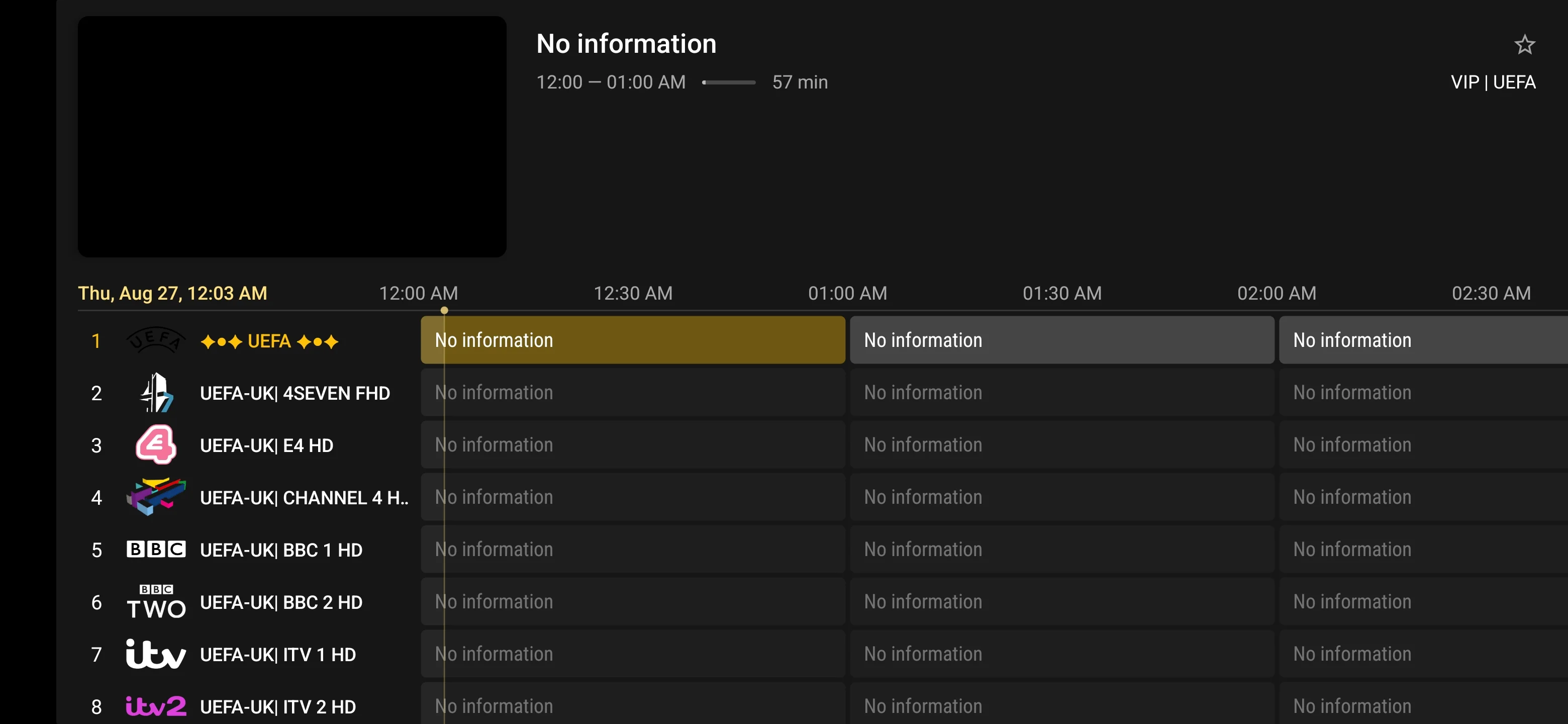
Follow the MegaOTT TiviMate setup guide for Android TV, Google TV and Amazon Fire TV. Learn how to enter your IPTV login, load a playlist, refresh channels and configure the electronic programme guide.
MegaOTT TiviMate Guide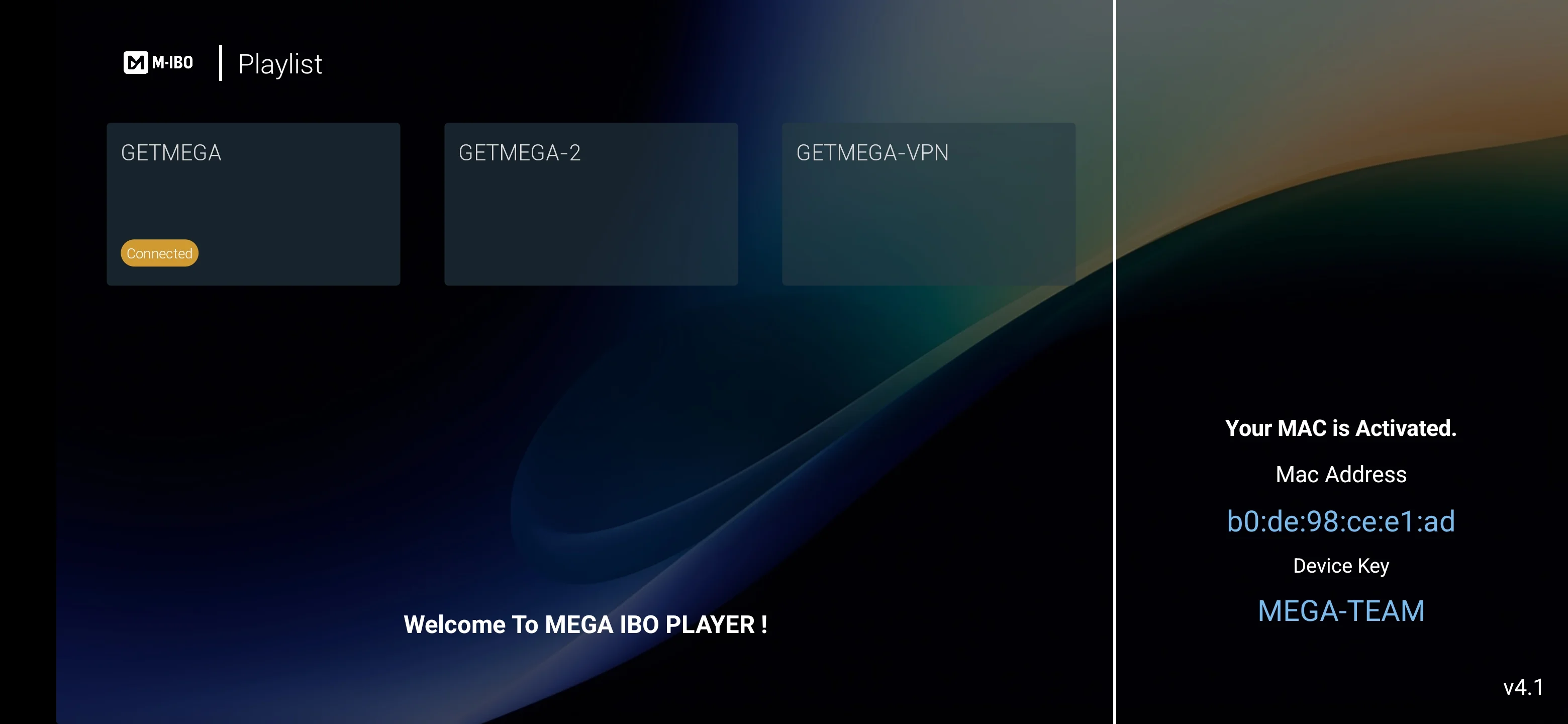
Use the MegaOTT IBO Player guide to understand app activation, device identification and IPTV playlist setup on compatible Samsung Smart TV, LG Smart TV and other supported television platforms.
MegaOTT IBO Guide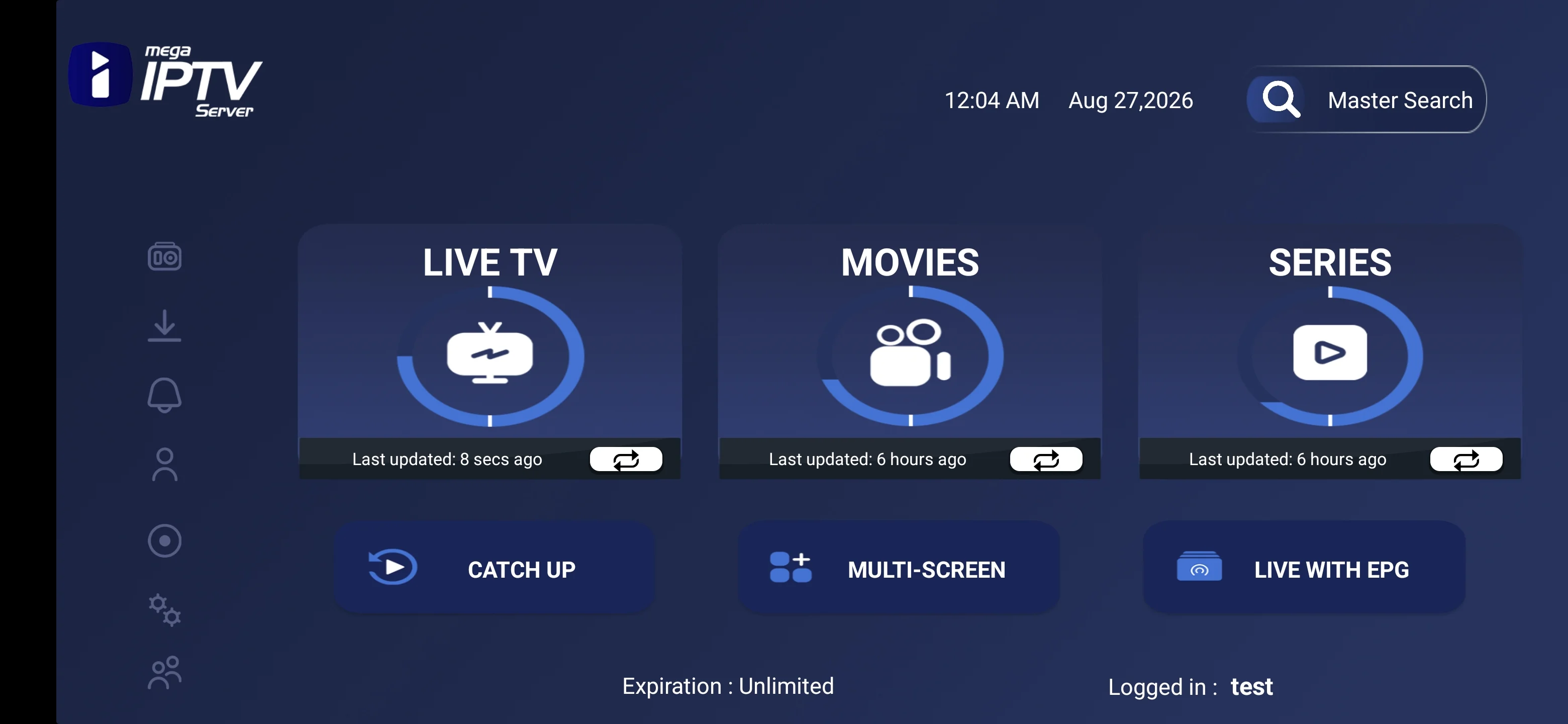
Follow the MegaOTT Smarters setup guide for supported Android devices, iPhone, iPad, Smart TV, Windows and macOS. Learn how to sign in, refresh categories and access live TV, movies and series.
MegaOTT Smarters GuideYour MegaOTT subscription provides the supported IPTV service access, while the selected player provides the viewing interface. The best app depends on your device, operating system, remote-control preferences and desired channel-guide layout.
MegaOTT TiviMate is suited to viewers looking for a television-focused IPTV interface on supported Android TV, Google TV and Amazon Fire TV devices. Its layout is designed around remote-control navigation, channel categories and an electronic programme guide.
MegaOTT IBO Player guidance focuses on app activation and IPTV playlist loading for compatible Smart TV platforms. It is a practical option for viewers who want to use a supported television without connecting a separate streaming box.
MegaOTT Smarters offers a familiar category-based layout for live TV, movies and series across supported Smart TVs, Android devices, mobile platforms and computers.
App availability and features can vary by device, operating system and region. Open the guide for your exact device and test playback with the MegaOTT 24-hour free trial before choosing a longer plan.
Many setup problems come from treating the subscription, player and hardware as the same thing. This comparison shows where each responsibility sits and what to check when something does not load as expected.
Provides supported account access and the currently available live TV, movie and series catalogue.
Loads the account and controls navigation, favourites, search, guide layout and playback controls.
Determines which apps, codecs, remote controls, display modes and performance levels are available.
Influences loading time and playback stability through bandwidth, latency, Wi-Fi signal and household traffic.
The MegaOTT reseller panel gives partners a central place to create customer accounts, manage common subscription periods, review active services and handle renewals. Current reseller pricing, minimum orders and branding options should be confirmed before payment.
These are different service routes. Choose a retail subscription for personal viewing and ask for reseller information only when you intend to manage customer accounts as a business partner.
Designed for a viewer who wants supported account access for a compatible player and device. Start with the 24-hour trial, check the categories and setup, then select one subscription period.
Designed for partners who need a dashboard for creating and organising customer accounts, handling renewals and monitoring reseller resources under the current partner terms.
Reseller pricing, credit requirements and panel rules can change. Contact the reseller team for the current commercial details before advertising or accepting customer orders.
A trial is most useful when you test the same device, player and connection you plan to use after purchase. Do more than open one channel: check the complete path from login and category loading to live TV, on-demand navigation and guide data.
Install a compatible player on your Smart TV, Fire TV, Android or Google TV device, phone, tablet, computer or supported box. Confirm that menus, remote navigation and playback controls are practical for everyday use.
Browse the regional, sports, news, entertainment, kids or international groups that matter to you. Availability changes over time, so judge the current trial catalogue rather than relying only on a headline count.
Use the player search and genre categories to examine the 200K+ movie and 62K+ series listings. Check navigation, title information and available playback options on several different items.
Test during normal household usage on the Wi-Fi or Ethernet connection you will use regularly. Try different quality options and note whether local congestion or weak signal affects playback.
Choose a 1, 3, 6 or 12-month MegaOTT IPTV subscription. Every amount below is the total discounted price in USD for the selected subscription period. No calculated or estimated regular prices are displayed.
$6.99 / 1 month
$16.99 / 3 months
$29.99 / 6 months
$44.99 / 12 months
Every paid plan lists the same core catalogue figures. The main difference is the subscription period, so choose the duration only after testing compatibility and deciding how long you want the account active.
A practical first paid period after the free trial. Use it when the service is new to you or when you want a shorter commitment before considering a longer plan.
Review 1-month pricingSuitable when the device, player and network have already performed well and you prefer a quarterly subscription period.
Review 3-month pricingDesigned for established setups where the main categories, app workflow and everyday connection have been checked carefully.
Review 6-month pricingThe longest listed retail period and the lowest average monthly cost. Choose it only when you are comfortable with the service and current terms.
Review 12-month pricingThe prices above are already shown after the stated 25% discount. Average monthly figures are simple price-period calculations rounded to two decimal places; billing is for the full selected period.
A clear pre-order check reduces avoidable setup problems. Use this list before payment, especially if a specific device, language group, sports category or app feature is essential.
Make sure a supported player or setup method is available for your exact device model and operating system.
Check app availability, supported login method and any separate player activation requirements before ordering.
Run the trial on the same Wi-Fi or Ethernet connection and at the same time of day you normally expect to watch.
Use the channel page and trial to check the region, language, sport or entertainment categories you need.
Review the selected USD subscription period and confirm that the shown price is the price after the stated 25% discount.
Review the published terms, privacy information and refund conditions before submitting payment.
Keep credentials private and avoid entering them into unsupported websites, applications or public devices.
Contact support if you are unsure about compatibility, setup, content groups, payment instructions or reseller access.
Choose a compatible player and follow the setup guide for your device. App availability may vary by operating system, model and app store region.
Select a supported app that fits your device and preferred interface.
Use the 24-hour trial first, or choose a subscription period.
Enter the supplied account information in the compatible player.
Check the channel groups, guide data and picture quality on your normal network.
Picture quality depends on the source stream, available bitrate, your player, device capability and local network conditions. Headline internet speed alone does not guarantee consistent playback, so test the full setup during the free-trial period.
A stable connection around this level can support many HD streams, but source bitrate and other household traffic still matter.
Allow additional capacity for Full HD, especially when other devices are downloading, gaming or streaming at the same time.
4K availability depends on the source and hardware. A wired connection or clean 5 GHz Wi-Fi signal can improve consistency.
Packet loss, unstable Wi-Fi and router congestion can interrupt playback even when a speed test reports high bandwidth.
MegaOTT is offered worldwide where service access is available. The catalogue contains regional and language-based groups, but individual feeds can be added, replaced or removed. Confirm the exact categories you need during the trial.
Explore entertainment, news, sport, movie and regional groups covering major European markets and languages.
Browse supported English, Spanish and Portuguese categories from the United States, Canada and Latin American regions.
Check Arabic-language, regional entertainment, sports, news and family categories available in the current catalogue.
Browse supported regional and language groups across South Asian and East Asian entertainment and news categories.
Review current regional television, music, news, sports and entertainment groups from supported African markets.
Use player favourites and category organisation to make frequently watched language groups easier for the household to reach.
MegaOTT does not guarantee that every named channel, event or title will remain available throughout a subscription. Use the current trial and channel catalogue for the most relevant check.
When you contact support, describe the problem precisely and include the device model, operating system, player name and connection type. This makes it easier to separate an account-entry problem from an app, network or single-source issue.
Go directly to the page that matches your next task. These routes cover service testing, app selection, installation, channel discovery, plan comparison, reseller access and common account questions.
Clear answers about the MegaOTT IPTV trial, pricing, devices, apps, setup, playback and reseller panel.
MegaOTT IPTV is an internet-delivered television and on-demand subscription service. The current catalogue lists 28K+ live channels, 200K+ movies and 62K+ series for use with compatible IPTV apps and devices.
Yes. New customers can request a 24-hour free trial to check device compatibility, their preferred categories and streaming performance on their normal internet connection before choosing a paid plan.
The current USD prices after the displayed 25% discount are $6.99 for 1 month, $16.99 for 3 months, $29.99 for 6 months and $44.99 for 12 months. Check the pricing and terms pages before ordering.
MegaOTT IPTV supports major Smart TV platforms, Amazon Fire TV devices, Android and Google TV, Android phones and tablets, iPhone and iPad, Windows, macOS, MAG, Enigma2, Formuler, Nvidia Shield and other compatible streaming hardware.
You can use a compatible IPTV player for your device. MegaOTT provides dedicated guidance for MegaOTT TiviMate, MegaOTT IBO and MegaOTT Smarters, along with setup help for other supported players.
After payment confirmation, use the account details and installation instructions supplied by MegaOTT. Add those details to a compatible player, refresh the app and contact support if the channel groups or programme guide do not load.
The catalogue includes SD, HD, Full HD and 4K options where available. Actual picture quality depends on the source feed, selected channel or title, device capabilities and internet connection.
A stable connection matters more than headline speed. As a practical starting point, allow about 10 Mbps for HD, 15 to 25 Mbps for Full HD and 25 Mbps or more for 4K, with extra capacity for other household traffic.
The MegaOTT reseller panel is a partner dashboard for creating and managing customer subscriptions, monitoring reseller resources and handling renewals from one place. Contact reseller support for current access, pricing and requirements.
MegaOTT IPTV is offered worldwide where the service and requested content are available. Catalogue availability, app access and payment options can vary by country, so confirm local compatibility during the 24-hour trial.
Restart the app and router, test a wired or strong Wi-Fi connection, close other high-bandwidth activity and try another available stream quality. If the issue continues, send support your device model, app name and affected category.
Contact MegaOTT IPTV through WhatsApp at +44 7532 814802 or email support@megaott.io for trial requests, plan questions, setup guidance and account support.
The subscription and player are separate. MegaOTT supplies the supported account access, while a compatible player provides the interface on your device. Some players are free, while others may have their own activation or premium-feature cost.
Live feeds and on-demand sources are updated over time, so individual channels, categories and titles can be added, replaced or removed. Use the current catalogue and 24-hour trial to confirm what matters most before ordering.
Use the refresh or reload controls in your selected player, then allow the channel groups and programme guide to update. If categories still do not appear, restart the app and send support your device and player details.
Include your device model, operating system, IPTV player name, Wi-Fi or Ethernet connection type, the affected category and any exact error message. Do not post private account credentials in public messages.
Check your preferred channel groups, app, device and normal internet connection before selecting a paid subscription.
Compare plans, confirm your device and app, or contact the support team with a specific setup question.